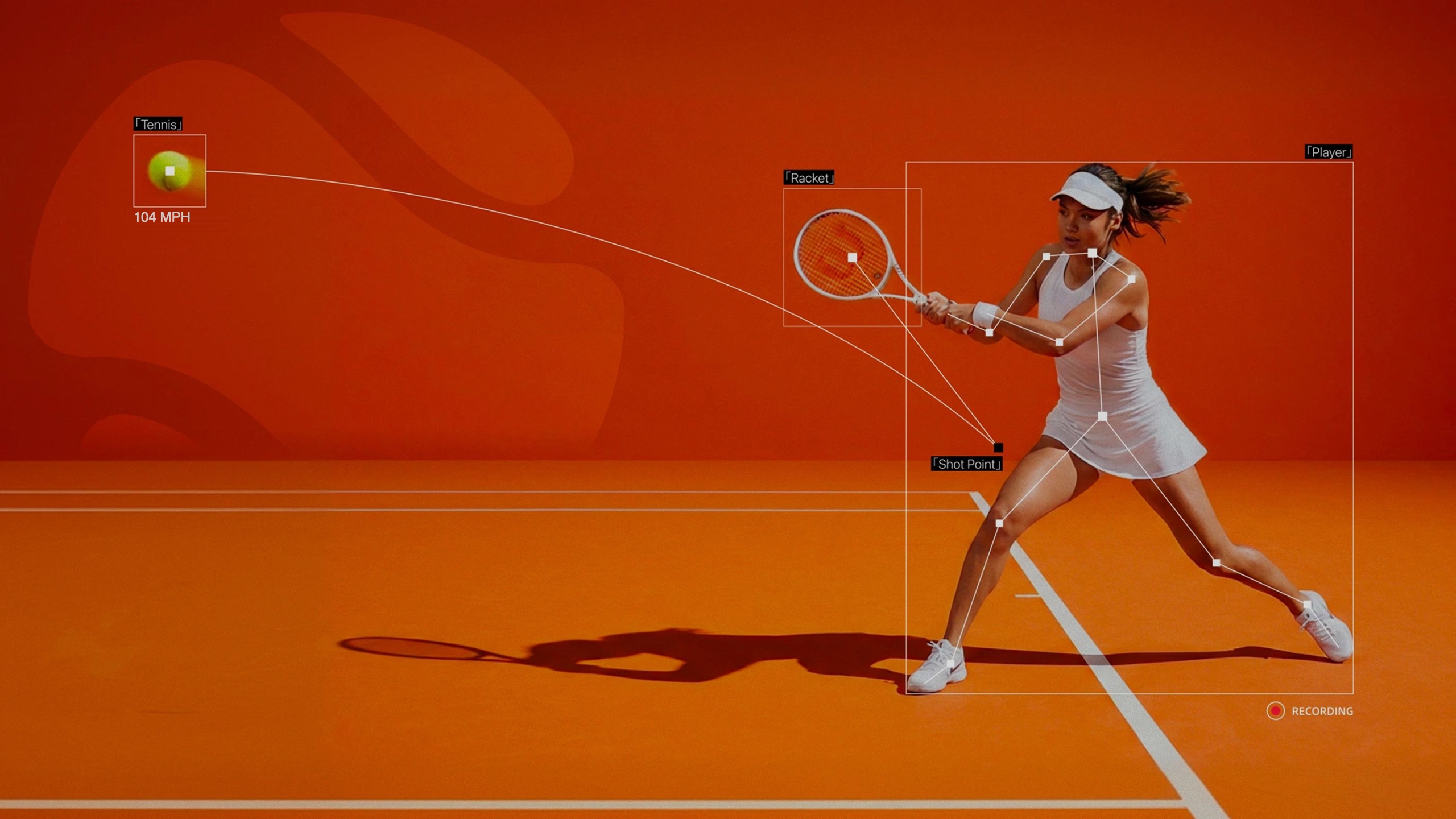
Analyze as you record with RallySense on iPhone and see results when your session ends—or upload footage from any phone, GoPro, or court camera for cloud analysis.
Analyze as you record on iPhone, or upload footage you already have from any camera. Both paths deliver the same core results.
Find My Best Setup
How would you like to analyze your tennis video?
Best for existing videosMost flexible
Cloud Upload Analysis
Transfer footage you already recorded on a phone, GoPro, or court camera to your computer, then upload it to RallySense Cloud. The Web workflow supports upload analysis only.
Works with Android, iPhone, GoPro, and court camera footage
Smooth large-file management and upload from your computer
Supports MP4 video up to 1080p
The same core analysis results as iPhone
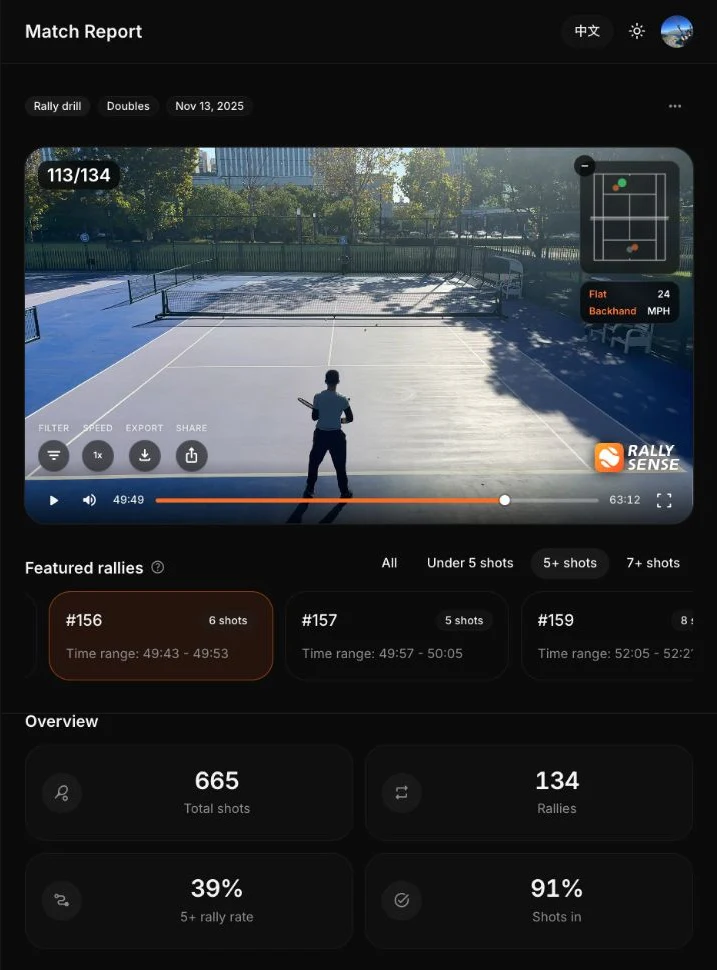
See the complete Web match report
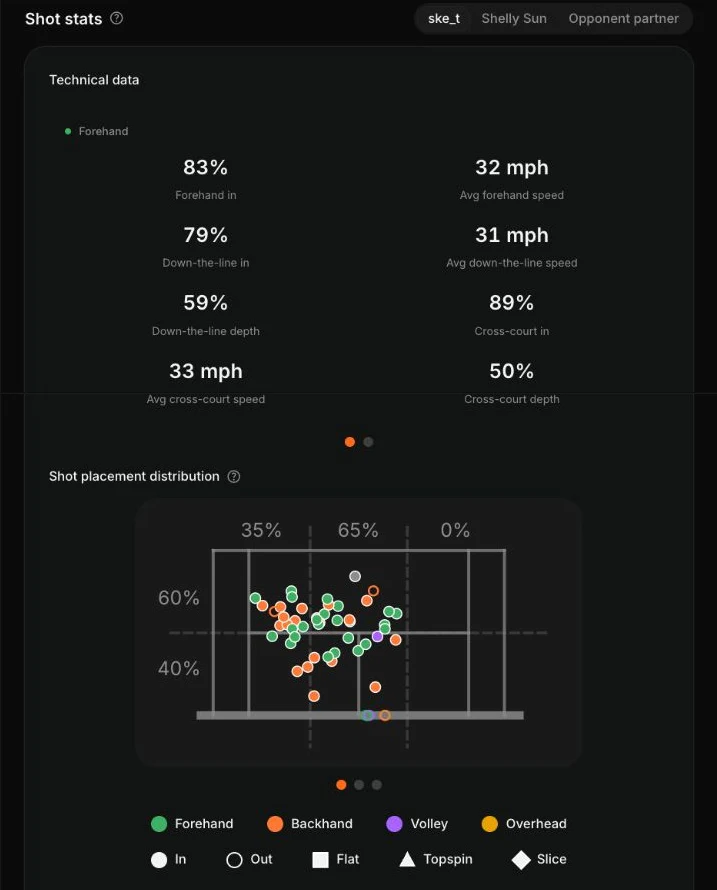
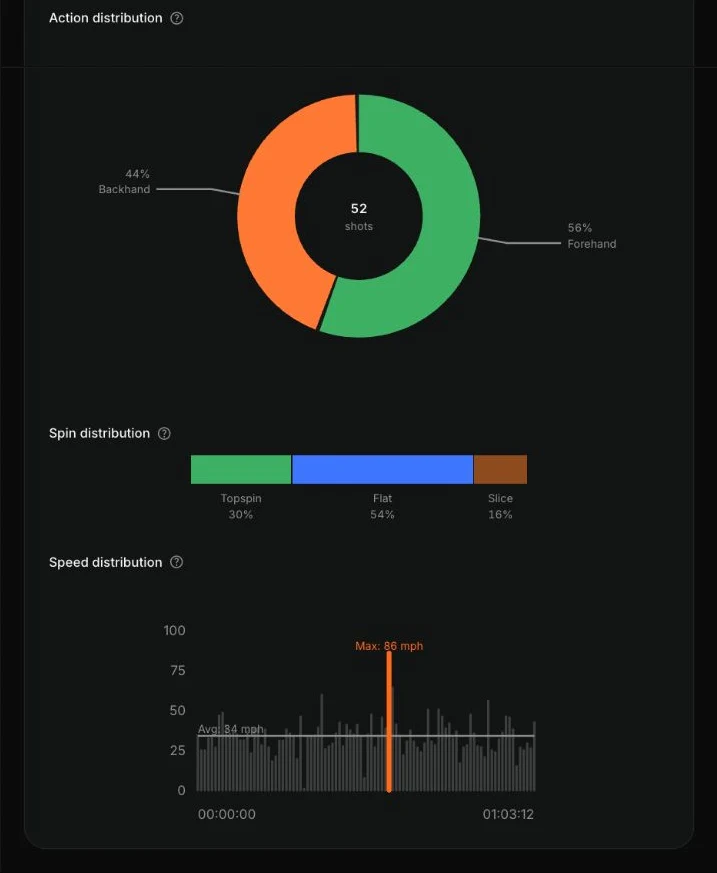
Review video and featured rallies, then explore technical data, placement, spin, and speed distributions in one report.
One Report System
Wherever you analyze,
get the same core results
1
Average ball speedSee the average speed of each shot rather than a momentary peak reading.
2
Automatic shot clipsOpen a clip for any detected shot without searching through the timeline.
3
Filter by shot typeReview all of your topspin shots, serves, or other stroke types together.
4
Dead time removedAutomatically skip ball pickup, breaks, and other non-playing time.
FAQ
Frequently Asked Questions
On iPhone, RallySense analyzes while you record and shows results when the session ends; Serve Mode also provides live in/out feedback. You can also import existing footage for analysis using your iPhone’s processing power. The Web workflow only analyzes existing videos uploaded to the cloud. Both paths deliver the same core results.
New iPhone users get 2 free hours of iPhone analysis. New Web accounts get 30 free minutes of Cloud Analysis. Each free allowance applies to its respective iPhone or Web workflow.
No. Record with an Android phone, GoPro, court camera, or another device, then upload the MP4 video from your computer for Cloud Analysis. Pro, Plus, and hour packs all support Cloud Analysis.
Cloud analysis currently supports MP4 only. On Apple devices, MP4 and MOV are supported. Videos up to 1080p are supported.
A 1-hour tennis video typically generates a complete report within 10-20 minutes after upload finishes. Plus cloud jobs receive priority processing; iPhone results are ready when recording ends.
Practice Mode, Serve Mode, and Match Mode are currently supported. Match Mode is now available on both iOS and the web workflow.
All videos are private by default and visible only to you. We will not disclose them to any third-party organization or individual for any other purpose.
Failed analysis does not consume your quota. You can upload the video again for analysis.
Paid time from Plus and Hour Packs works across real-time iPhone recording analysis, imported-video analysis on iPhone, and Web Cloud Analysis. Pro supports Web Cloud Analysis only.